
You buy a label on eBay, press print, and your thermal printer spits out a tiny, sideways label. Usually, the eBay shipping label format is the culprit, not the printer.
Quick answer: To change the label format on eBay, open the create label page on a desktop browser and click Show more. Next, find the current label format and click Change. Choose PDF and 4×6, then print at actual size.
At Shiprep, our warehouse prints on thermal paper rolls only. As a result, we see wrong-format labels every week, and most take under a minute to fix.
Why the default eBay shipping label format causes problems
First, eBay often sets a half-sheet layout by default. That layout suits an office printer, but it shrinks the label on a thermal roll. In addition, an eBay update can quietly reset your choice back to the half sheet.
Here is what a wrong format usually looks like:
- A small label sitting in one corner of a 4×6 sticker
- A label that prints sideways or gets cut off
- Two labels squeezed onto one page
- A blurry barcode after the printer resizes the label
Meanwhile, a thermal printer expects one 4×6 label per page. Therefore, matching the format before you print saves both time and label stock.
How to change the eBay shipping label format to 4×6
Menu names shift when eBay updates its pages. However, the path below works on the desktop site at the time of writing.
- Open your order in Seller Hub and start the shipping label.
- On the create label page, look to the right and click Show more.
- Scroll down to the current label format, then click Change.
- Select PDF, and then choose the 4×6 size.
- Buy the label, or reprint it if you already bought it.
Tip: Use a desktop browser, not the mobile app. The app does not show the Show more option.
Watch: how to change label format on eBay
Already bought the label? Change the format and reprint
In fact, you do not need to pay twice. Open the label page, change the format, and then reprint the same label. Sellers report that the new format applies to labels they already purchased.
Print settings that stop eBay labels from printing sideways
Changing the eBay shipping label format is only half the job. In addition, your printer settings must agree with it. Otherwise, the label can still print sideways.
- Set your browser to open PDF files with Adobe Reader instead of its built-in viewer.
- In the print window, pick your thermal printer as the target.
- Set the paper size to 4×6 in your printer preferences.
- Choose Actual size, not Fit, and keep orientation on Auto.
- Some printers, like the Dymo 4XL, also need the box for choosing the paper source by PDF page size.
Print one label first. Then check that it fills the sticker before you print the rest.
Tired of fighting printer settings? Shiprep handles labeling and shipping on thermal rolls, and eBay is one of the marketplaces we support. See our warehouse prep and fulfillment services.
Is your eBay shipping label format correct?
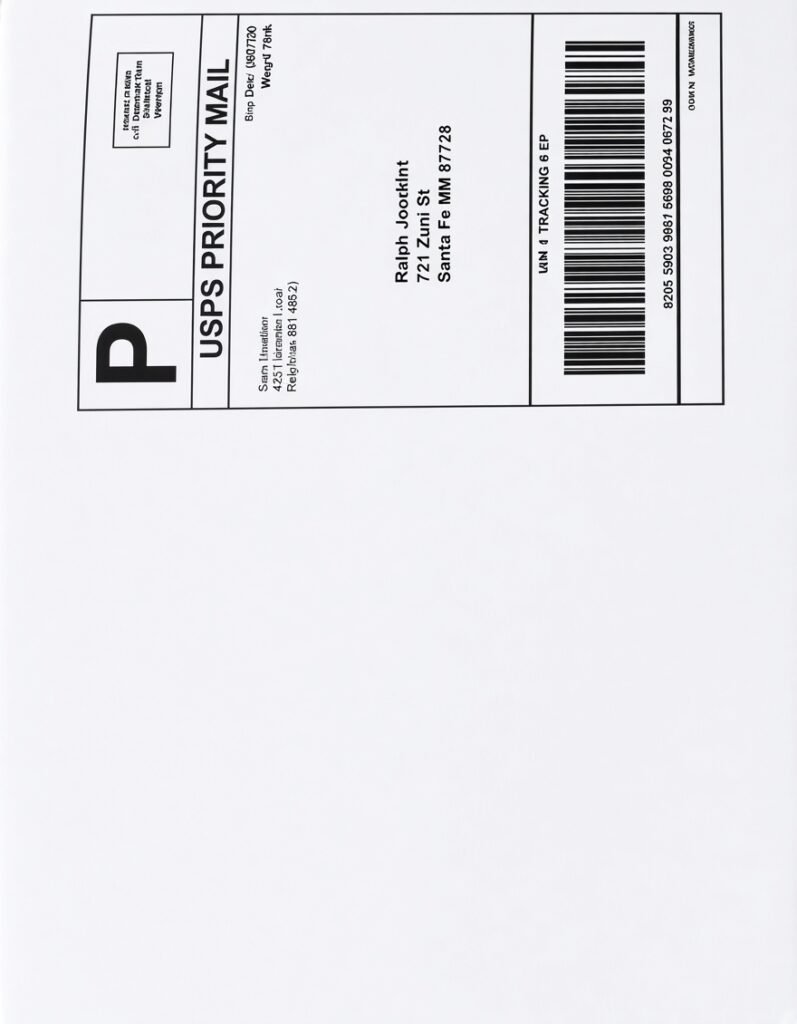
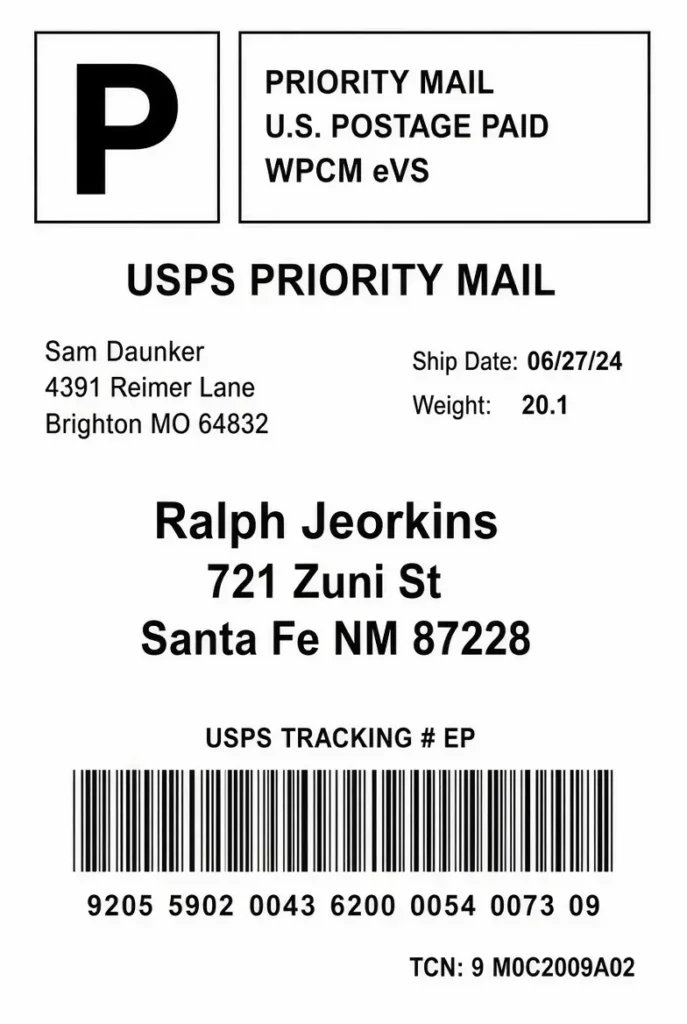
Finally, before you ship, check your eBay shipping label format with this quick checklist.
- Size: 4 inches by 6 inches, not a letter-size page
- Labels per page: one
- Barcode: sharp and not stretched
- Layout: the label fills the whole sticker
❌ This label is not in 4×6 thermal format, so it can cause printing and scanning problems.
✅ This label fills the page with a clean, scannable barcode.
Why thermal labels work better for eBay orders
First, thermal printing uses heat instead of ink, so the barcode stays sharp. Moreover, it holds up through rain, sunlight, and rough handling in transit. For the full picture, read our guide to the 4×6 thermal shipping label format.
Frequently asked questions about the eBay shipping label format
How do I change the label format on eBay?
Click Show more on the create label page, then click Change next to the current label format. Choose PDF and 4×6.
Why does my eBay label print sideways?
The format or printer paper size usually does not match. Set both to 4×6, and keep the print orientation on Auto.
Why does eBay keep resetting my label size?
Site updates can switch it back to the half sheet. Therefore, recheck the format on the create label page before each batch.
Can I change the eBay label format on the mobile app?
Not reliably. However, the Show more option appears on the desktop site, so use a browser.
Can I print eBay labels on a normal printer?
Yes. However, thermal labels print sharper, skip the ink, and scan faster.
What size is a thermal shipping label?
In fact, it measures 4 inches by 6 inches, which is about 100 by 150 millimeters.
Does every eBay label type support 4×6?
Not always. For example, some types, such as Standard Envelope, may not. Check the preview first, or ask eBay support.
Print Once, Ship Without Reprints
Get the eBay shipping label format right at the start, and everything downstream runs smoother. Choose 4×6, print at actual size, and scan-check one label first. If a label still looks off, send it to the Shiprep team, and we will confirm the format with you. You can also explore Shiprep for eBay, Amazon, and Walmart prep.
For more seller tips on this setting, see the eBay Community thread on changing to 4×6 labels.