
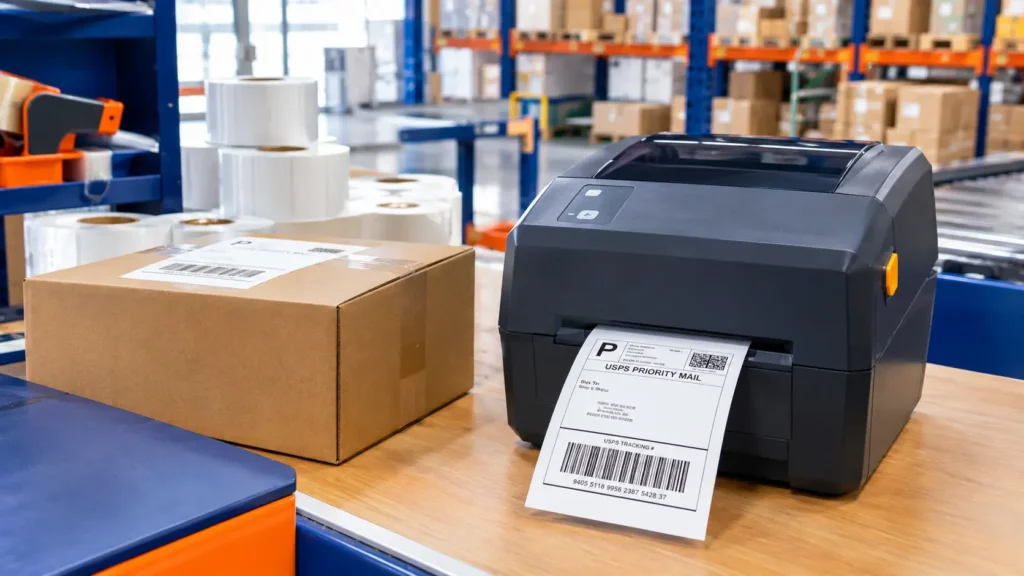
It’s important to use the 4×6 thermal shipping label format. Your shipping (carrier) label must be on thermal paper, 4 inches by 6 inches. A label that prints fine on your office printer can still fail at the warehouse, and the wrong size or format means slow scans, reprints, and delayed orders.
At Shiprep, our warehouse uses only thermal paper rolls and newer printers. That way, your shipping labels always remain readable, even in harsh conditions like rain, snow, direct sunlight, and liquid contact. Learn more about our warehouse prep services.
This guide shows what goes wrong, how to fix it, and how to check a label in under ten seconds.
3 common mistakes with the 4×6 thermal shipping label format
1. Labels downloaded as a full 8.5×11 page.
Many carrier portals and marketplaces default to a letter-size PDF with the label in one corner. Printed as-is, you get a tiny label surrounded by white space, or a resized label that blurs.
Fix: In the label settings, choose 4×6 / thermal label before you download.
2. Two or more labels on one page.
Some formats place several labels on one sheet. Warehouse thermal printers print one label at a time, and a multi-label page breaks that flow.
Fix: Download each label as its own 4×6 file.
3. Low-quality or resized barcodes.
Stretching or shrinking a label makes barcode lines thinner or thicker. Scanners may fail to read them, and the parcel gets flagged for manual handling.
Why the 4×6 thermal shipping label format survives rain, snow, and sun
Thermal printing doesn’t use ink or toner. Heat creates the image directly on the paper. With no ink to smear, the print stays sharp, and the barcode stays scannable. That matters because a parcel goes through trucks, docks, sorting belts, porches, and weather before it arrives.
A properly printed thermal label is built to stay readable through:
- Rain and snow
- Direct sunlight
- Liquid contact
- Rough handling during transit
Our warehouse prints on thermal rolls with newer printers, so the label on your parcel is crisp from day one.
Is your label in the correct 4×6 thermal shipping label format?
Before sending anything to your warehouse, confirm your label matches the 4×6 thermal shipping label format using this checklist.
| Check | Correct | Incorrect |
|---|---|---|
| Size | 4 in x 6 in | Letter / A4 page |
| Labels per file | One | Several on one sheet |
| Barcode | Sharp, unstretched | Blurry or resized |
| Layout | Label fills the page | Small label in a corner |
❌ Sample of an incompatible (incorrect format) label
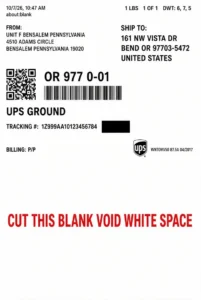
This label isn’t in thermal 4×6 format, so it can cause printing and scanning problems.
✅ Sample of a compatible (correct format) label
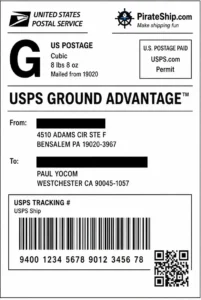
This one is in the 4×6 thermal format, with the label filling the page and a clean, scannable barcode.
Frequently asked questions
What if my carrier only gives me a letter-size PDF?
Look for a label-format or print-settings option and switch to 4×6. If it isn’t there, ask your carrier or marketplace support, or contact us before shipping.
Will a wrong-format label delay my order?
It can. Labels that can’t be scanned or printed properly may need reprinting or manual handling, which slows everything down.
Final word on the 4×6 thermal shipping label format
Get the 4×6 thermal shipping label format right at the start, and everything downstream runs smoother: faster prep, fewer reprints, fewer failed scans. Choose 4×6 thermal, one label per file, no resizing. If you’re unsure about a label, send it to the Shiprep team before your shipment arrives, and we’ll confirm the format with you.