
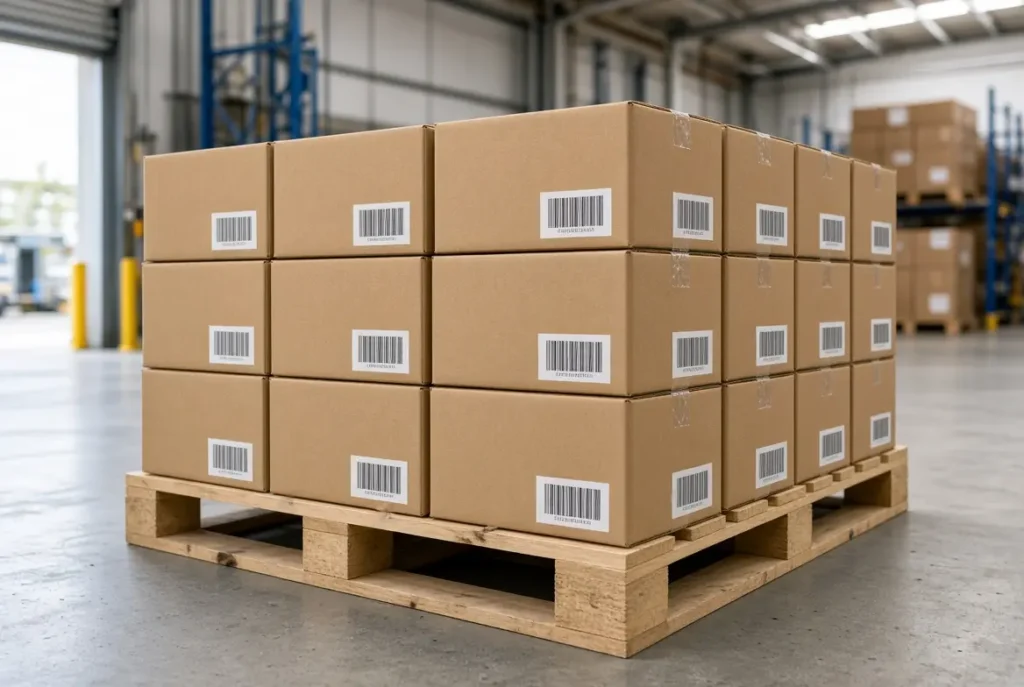
Quick answer: To print FNSKU labels, start a Send to Amazon shipment in Amazon Seller Central, click Print SKU labels next to your product, choose thermal paper and the 2×1 (50mm x 25mm) format that matches your label stock, and print at 100% scale with no resizing. Scan one test label before you print the rest. At Shiprep, our warehouse labels products on thermal paper so Amazon scanners can read every barcode easily.
What is an FNSKU label, and how is it different from an ASIN?
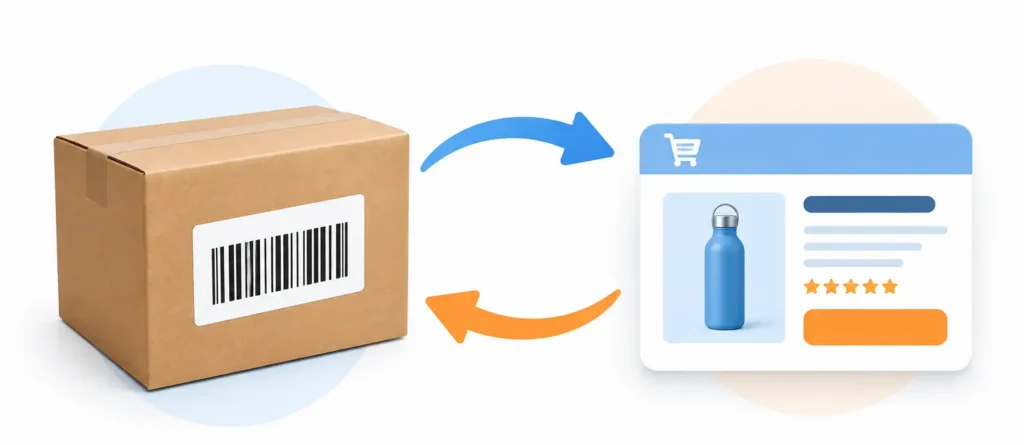
An ASIN is the catalog number Amazon assigns to a product listing. An FNSKU is the identifier Amazon uses to track your specific units inside its fulfillment network. The FNSKU label is the scannable barcode you place on each unit so Amazon knows whose inventory it is.
In plain terms: the ASIN identifies the listing, the FNSKU identifies your unit of that listing, and the label is what Amazon’s scanners actually read.
Why label format matters more in 2026
Amazon ended its US FBA prep and item-labeling service on January 1, 2026. Shipments created after that date must arrive already prepped and labeled, so every unit needs a correct, scannable FNSKU label before it reaches an Amazon dock. Amazon has also said that items arriving without proper prep and labeling may not qualify for reimbursement if they are lost or damaged.
A blurry, faded, or misaligned barcode is one of the easiest ways to cause check-in delays. Choosing the right format and printing it cleanly is the first step.
Which FNSKU label format should you choose?
Seller Central lets you generate labels in more than one layout. The right choice depends on the label stock and printer you actually own.
- Sheet labels (for example, 30-up): a good starting point for low volume with a laser or inkjet printer. Print quality depends on your printer, and ink can smudge or fade.
- Thermal roll labels: better for higher volume and daily labeling. Thermal prints are sharp black-and-white barcodes that scan quickly, need no ink, and work with printers such as Zebra, Dymo, or Rollo.
Our recommendation: thermal. Our warehouse uses this format because thermal labels stay crisp and scan reliably.
Whatever you choose, the format selected in Seller Central must match the stock loaded in your printer. A mismatch is one of the most common causes of misaligned labels.
How to print FNSKU labels from Seller Central (step by step)
Menu names can shift slightly as Amazon updates Seller Central, so use the screenshots below as your guide.
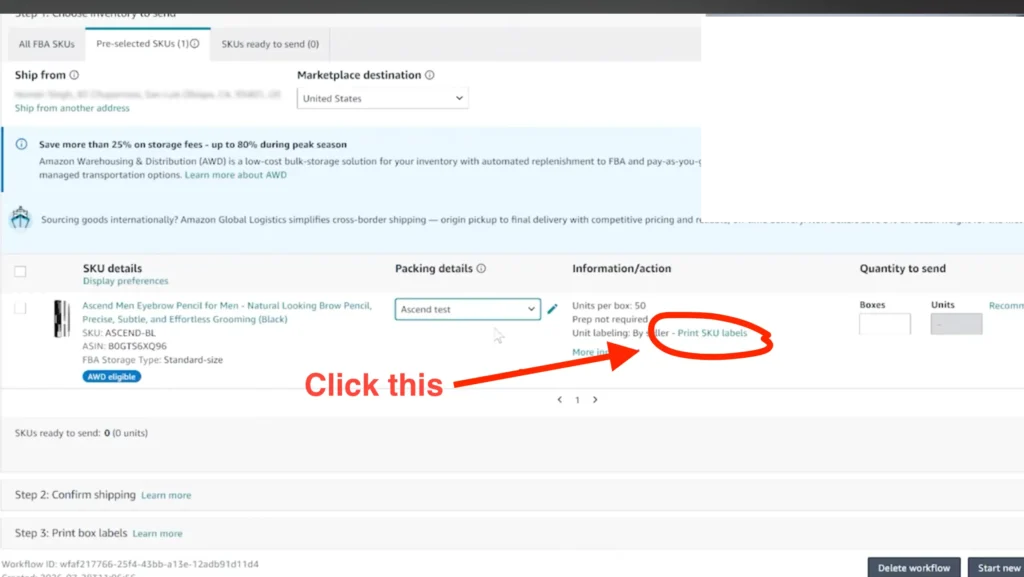
- Log in to Seller Central and start your shipment with Send to Amazon. Step 1 is Choose inventory to send.
- Find the product you are shipping and select it.
- Next to Unit labeling: By seller, click Print SKU labels.
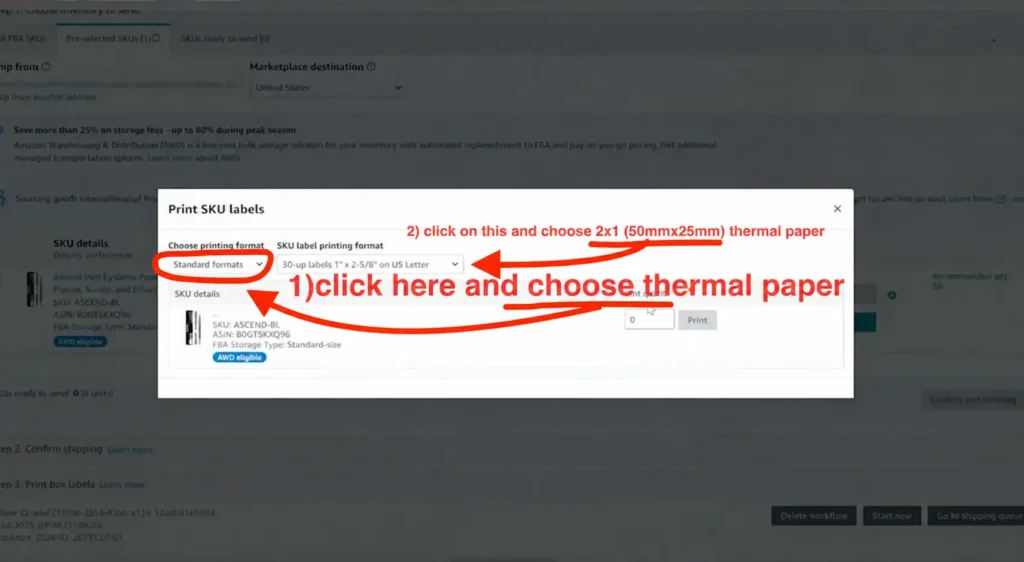
- In the Print SKU labels window, open Choose printing format and select thermal paper, then choose 2×1 (50mm x 25mm) under SKU label printing format.
- Enter the number of labels you need, one per unit.
- Click Print to generate the label file.
- Open the file and print at 100% scale. Turn off any fit-to-page or shrink option.
- Print one label first and scan it. If it reads correctly, print the rest.
You can also print labels from Manage Inventory by selecting the product and choosing Print item labels.
Watch: how to print FNSKU labels from Seller Central
Watch the full walkthrough on YouTube:
Let a prep center print and apply FNSKU labels for you
Labeling every unit yourself takes time, equipment, and constant checking. Shiprep handles FNSKU labeling at our Bensalem, PA warehouse using thermal paper, along with poly bagging, inspection, and full FBA and WFS prep.
There is no minimum order quantity, no advance payment, and no long-term contract. Every inbound shipment is counted and inspected with photo and video documentation, and we serve sellers across Bucks County, Philadelphia, and nationwide. Our Google rating is 4.6 stars.
If you would rather skip the printer setup and label troubleshooting, contact Shiprep and we will handle it.
Frequently asked questions
How do I print FNSKU labels in Seller Central? Start a Send to Amazon shipment, click Print SKU labels next to your product, choose thermal paper and the 2×1 (50mm x 25mm) format, and print at 100% scale.
What is the difference between an FNSKU and an ASIN? The ASIN identifies the product listing in Amazon’s catalog. The FNSKU identifies your specific units in Amazon’s fulfillment network and is the barcode printed on the label.
Should I use thermal or sheet labels? Sheet labels work for low volume. Thermal labels print sharper, do not smudge, and are faster at volume, which is why our warehouse uses thermal.
Does Amazon still label my products for me? No. Amazon ended its US FBA prep and item-labeling service on January 1, 2026, so units must arrive already labeled.
Can I print FNSKU labels at a smaller size to save space? No. Print at 100% with no scaling, because resizing can distort the barcode and make it unreadable.
Do I need an FNSKU label on every unit? For most sellers, yes. Amazon needs each unit to be identifiable, so check Amazon’s current rules for your account type.
Does Shiprep label for Walmart WFS too? Yes. Shiprep supports both Amazon FBA and Walmart WFS prep, including labeling.
For Amazon’s official notice about this change, read the announcement: US FBA prep and labeling services to end January 1, 2026.